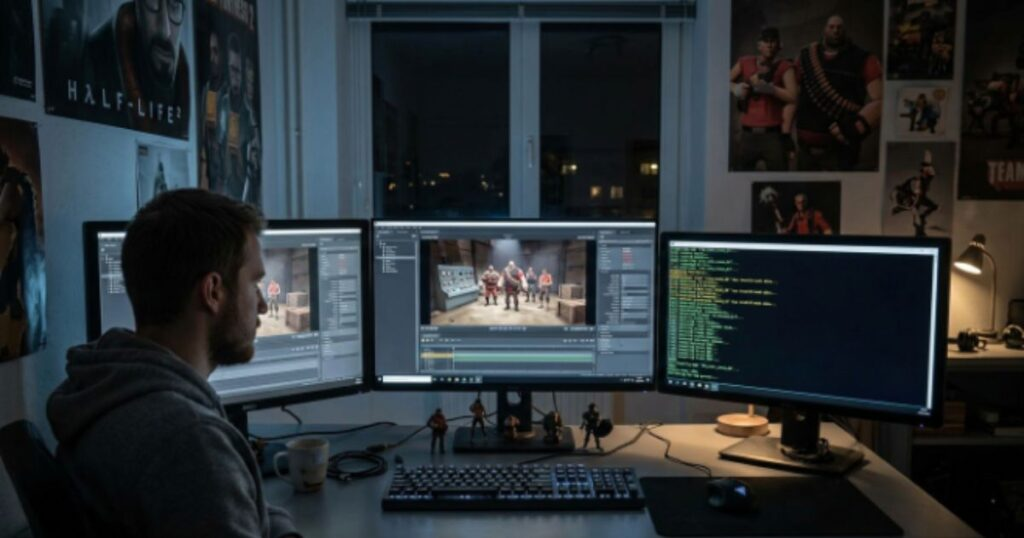

SFM compile begins where the glamorous part of animation often ends: with files, folders, scripts, and a compiler window. For many Source Filmmaker creators, however, this apparently technical stage is not merely a hurdle between imagination and animation. It is the bridge that allows a model conceived in another piece of software to become a functioning character, prop, or animated object inside the Source engine. Valve’s documentation describes StudioMDL as the command-line tool that converts intermediate model formats into the binary MDL format used by Source.
Why Compilation Matters in a Tool Built for Storytelling
Source Filmmaker has always occupied an unusual place in digital culture. It was created around the Source engine, yet communities gradually transformed it from a production tool into a platform for fan films, machinima, comedy, music videos, visual experiments, and increasingly sophisticated independent animation. Consequently, custom assets became central to the culture surrounding it.
That is where compilation enters the picture. A model created in a conventional 3D package is not automatically an engine-ready Source asset. Instead, the creator must translate its geometry, materials, bones, animations, and other information into forms the engine understands. The process may feel mechanical, but creatively it determines whether an artist’s character actually behaves as intended once it enters a scene.
From Blender or Maya to an Engine-Ready Model
The journey usually begins long before the compiler is opened. An artist may construct a character in Blender, Maya, 3ds Max, or another modeling environment. The resulting asset contains the visual information, but Source needs additional instructions about how that information should be assembled.
A QC file provides those instructions. Valve describes QC as a script controlling the compilation of SMD-based model assets, including their location, geometry, animations, collision information, and other properties. In effect, the QC file becomes a kind of production blueprint: it tells StudioMDL what the model is, where its components belong, and how the engine should interpret them.
The QC File Is More Than Technical Paperwork
For newcomers, a QC file can look intimidating because it consists largely of commands and paths rather than recognizable visual material. Nevertheless, its importance is easy to underestimate. A carefully constructed QC file can determine the model’s name, materials, animation sequences, collision behavior, and other characteristics.
That makes the file a meeting point between artistic intention and technical structure. A beautiful character with an incorrectly configured skeleton can become almost useless in animation. Similarly, a perfectly textured model can appear broken if its material paths are wrong. Therefore, successful compilation is not simply about pressing a button; it is about accurately communicating the artist’s intentions to an older but remarkably capable engine architecture.
What Actually Comes Out of the Process?
One of the most useful things for beginners to understand is that compilation does not simply create one mysterious “finished” file. StudioMDL generates a collection of related files. The principal MDL contains important model information, while VVD and VTX files carry additional vertex and rendering data. A PHY file may also be produced when collision information is defined.
| File | Role in the Source model pipeline |
|---|---|
| MDL | Main compiled model information |
| VVD | Additional vertex and mesh data |
| VTX | Optimized rendering and vertex information |
| PHY | Collision information when defined |
| QC | Source instruction file used during compilation |
This separation reflects an older engine philosophy in which different types of information are organized for efficient runtime use. For today’s creators, it can seem cumbersome. Yet it also reveals why Source assets can be remarkably flexible once the underlying structure is understood.
The Human Side of a Technical Frustration
Anyone who has spent an evening trying to make a custom model work in SFM knows that compilation problems rarely feel purely technical. A missing texture can mean an hour of detective work. A broken bone hierarchy can undermine an entire animation. A path error can leave an artist staring at a console message that seems to explain everything and nothing at the same time.
Moreover, these moments expose something fundamental about digital creativity: artists do not experience software as abstract systems. They experience it emotionally. A creator who has spent days modeling a character sees the compiler not as a command-line utility but as the final gate standing between an idea and its performance.
When the Model Loads but Still Feels Wrong
Successful compilation is only one milestone. A model can appear in SFM and still exhibit problems that become obvious once animation begins. Bones may behave unexpectedly, materials may not appear correctly, or proportions may reveal issues that were invisible during modeling.
For that reason, experienced creators tend to treat compilation as an iterative process. They compile, test, inspect, adjust, and compile again. Valve’s documentation even includes troubleshooting-oriented options for StudioMDL, reflecting how closely compilation is connected with diagnosis and refinement.
This iterative rhythm resembles traditional filmmaking more than many newcomers might expect. A costume is tested. A camera position changes. A performance is repeated. In SFM, the “production floor” is simply a mixture of 3D software, folders, scripts, and engine tools.
The Difference Between Compiling a Model and Rendering a Film
A particularly persistent source of confusion is the word “compile” itself. In some online discussions, people use the phrase to describe producing a finished animation or exporting a sequence. Technically, however, model compilation and final rendering are different stages.
Compilation prepares an asset so the Source engine can load it. Rendering, by contrast, concerns producing the visible result of an animated scene. Keeping these ideas separate makes the workflow much easier to understand. The compiler builds the instrument; the animator ultimately decides what music to play with it.
Why the Older Workflow Still Has a Creative Following
At a time when many contemporary 3D applications emphasize drag-and-drop workflows, automated imports, and increasingly sophisticated real-time pipelines, the manual nature of Source asset preparation can appear outdated. Yet that friction has also helped create a distinctive culture of experimentation.
Because creators have to understand file structures, model hierarchies, material paths, and compiler behavior, they often develop a deeper awareness of how their digital worlds are assembled. The inconvenience becomes a form of education. Instead of simply consuming an engine’s capabilities, users learn to negotiate with them.
That knowledge has cultural value. Communities built around older creative tools often survive precisely because their members become teachers as well as artists. One person’s solution to a mysterious compile error can become another creator’s first lesson in digital production.
Crowbar and the Democratization of a Difficult Workflow
Third-party utilities have also made Source asset work more approachable. Valve’s own developer documentation lists Crowbar as a frontend associated with StudioMDL, illustrating how community tools can provide a more accessible interface around command-line processes.
This matters because accessibility in creative technology is rarely determined by whether the underlying process exists. It is determined by whether ordinary people can understand and control that process. A graphical interface can turn an intimidating sequence of commands into a workflow that an aspiring animator can realistically explore.
Consequently, the surrounding ecosystem is almost as important as the compiler itself.
The Quiet Craft Behind the Final Frame
The finished SFM image rarely reveals what happened before the camera was switched on. Viewers see a character standing beneath a carefully placed light, delivering a line or moving through a cinematic environment. They do not see the QC file, the exported mesh, the folder hierarchy, or the failed compilation that preceded the final shot.
Yet those invisible steps are part of the creative work.
That is perhaps the most interesting cultural lesson of the entire process. Digital art often encourages audiences to think of software as a transparent medium. In reality, every visual result rests on a chain of technical decisions. SFM compile is simply one of the places where that hidden infrastructure becomes impossible to ignore.
A Practical Mindset for New Creators
For someone approaching the workflow for the first time, patience is more valuable than speed. Begin with a simple model rather than an elaborate character. Keep file paths organized, understand what the QC instructions are doing, and examine compiler messages instead of immediately treating warnings as meaningless noise.
Most importantly, test one variable at a time. If a model suddenly develops a problem after several changes, identifying the cause becomes much harder. A disciplined workflow therefore saves more time than repeatedly attempting the same compilation and hoping the result will change.
Valve’s modeling documentation also emphasizes a broad ecosystem around Source asset creation, including model creation, exporting, StudioMDL, materials, skeletons, rigging, physics, and troubleshooting. The lesson is straightforward: compilation works best when understood as one stage in a larger production pipeline.
Why This Technical Knowledge Still Matters
The continued interest in Source Filmmaker demonstrates that creative communities do not always abandon older technology when newer alternatives appear. Instead, they adapt it, document it, modify it, and build traditions around it.
SFM compile represents that relationship particularly well. It is technical, sometimes frustrating, and rarely glamorous. Nevertheless, it gives creators control over the very objects they want to animate. Once understood, the process transforms from an obstacle into a creative skill.
And perhaps that is why compilation remains worth learning. Behind every convincing digital performance is a series of decisions about structure, movement, materials, and presentation. The audience may never notice those decisions. The artist, however, knows that they are what made the performance possible.
Frequently Asked Questions
What is SFM compile?
SFM compile generally refers to preparing Source-compatible assets so they can be loaded and used correctly in Source Filmmaker. For models, StudioMDL processes source information according to a QC script and produces engine-readable model files.
What does a QC file do?
A QC file provides instructions for the model compilation process. It can define the model’s name and location, reference geometry and animations, identify materials, and specify collision-related information.
Is compiling the same as rendering?
No. Model compilation prepares an asset for the Source engine, while rendering produces the visual output of an animated scene. Confusing these two stages can make SFM workflows seem more complicated than they actually are.
Why do compiled models sometimes have missing textures?
Missing textures are commonly connected to material paths or improperly organized asset files. Because Source separates model data from material information, keeping paths and folders consistent is an important part of troubleshooting.
Conclusion: Learning the Machinery Behind the Imagination
SFM compile may sound like a narrow technical phrase, but it opens a window onto a much larger story about digital creativity. It shows how artists negotiate with software, how communities preserve older tools, and how technical knowledge can become part of an artistic identity.
Ultimately, Source Filmmaker is remembered not simply because it can move characters around a virtual set. Its lasting appeal comes from what people have learned to create with it. Compilation sits quietly underneath that creativity, translating handmade assets into something an aging engine can understand.
For the creator, therefore, the compiler is not the end of the artistic process. It is the moment when an imagined object begins to acquire a life inside the digital world.